Edit your videos with Claude, no film school required.
Scene Studio is a plug-in for the Claude desktop app. You watch your video, pin a note to the exact frame that’s bugging you, and Claude handles the cutting, the graphics, and the shorts. If you can follow instructions, you can do this.
I’ve always been a visual person, which is exactly why video editors drove me crazy.
Every one I tried came with its own language. Timelines, tracks, splicing, and a long list of terms that mean nothing unless you already work in video, and you don’t know what you don’t know. I’d want to cut a single sentence out of a screen tutorial and end up lost in a menu. Either I couldn’t get it exactly how I wanted, or the feature I needed wasn’t there, or it felt like I’d need to go to film school to figure it out, and it would take me hours and hours.
(I have nothing but respect for video editors, by the way. It’s a real craft.)
But when all I wanted was to edit a screen tutorial, it was way more work than it was worth, and a lot of the time that meant the video just didn’t get made.
You and Claude, editing the same video.
Scene Studio is a video editor that lives on your computer and works with Claude, so you and Claude are editing the same video together.
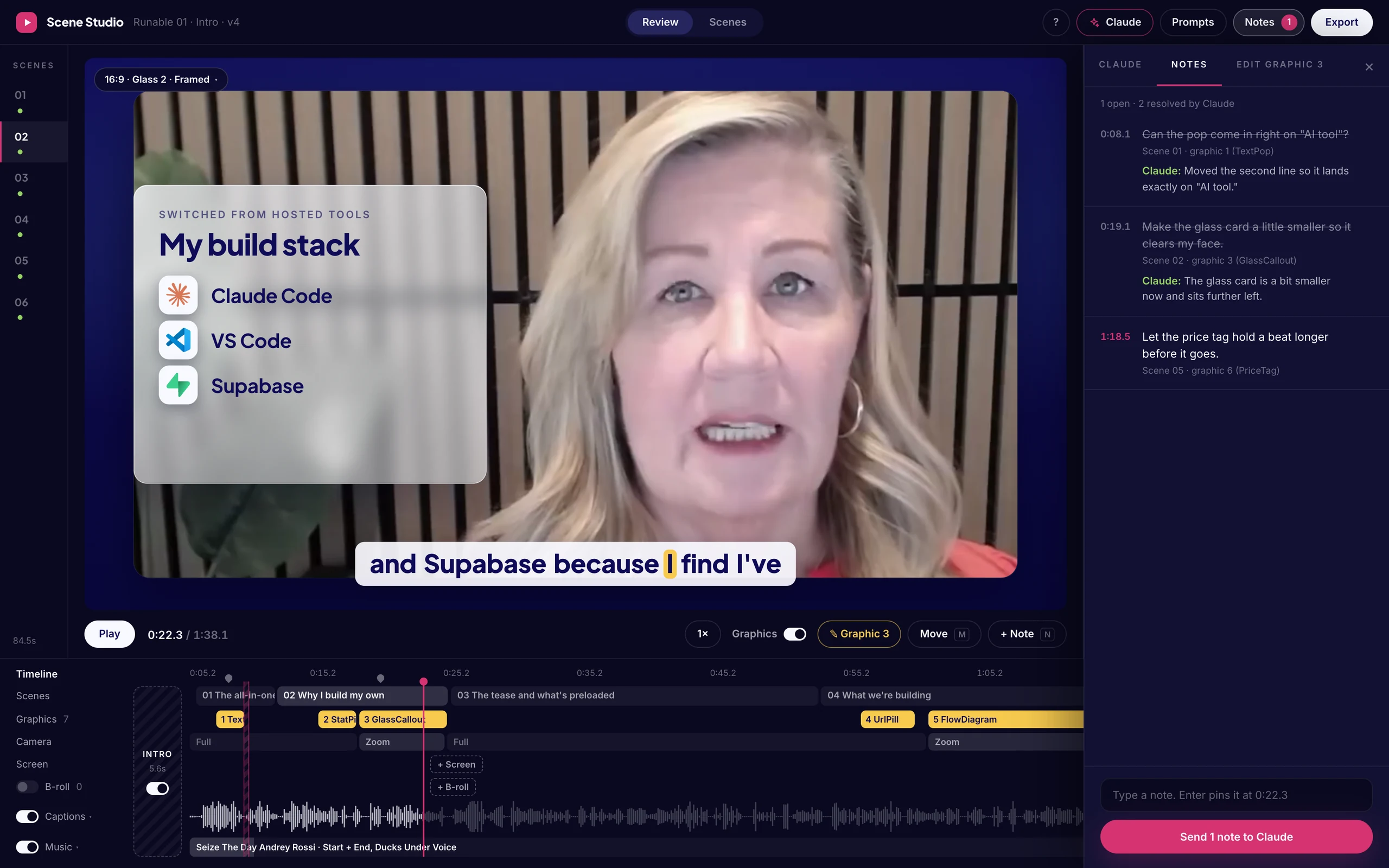
You take the small stuff.
- Fixing a word in the captions
- Making a graphic a little smaller
Because that’s faster to do yourself.
Claude takes the creative and structural work.
- Finding where your scenes break
- Building the graphics
- Cutting shorts
- Adding B-roll
The player updates as Claude works, so you watch your video come together instead of waiting on an export to find out what happened.
The first thing I made with it was a video I had already published. I uploaded it, and branded graphics landed on the exact words I say.
How it works
- 01
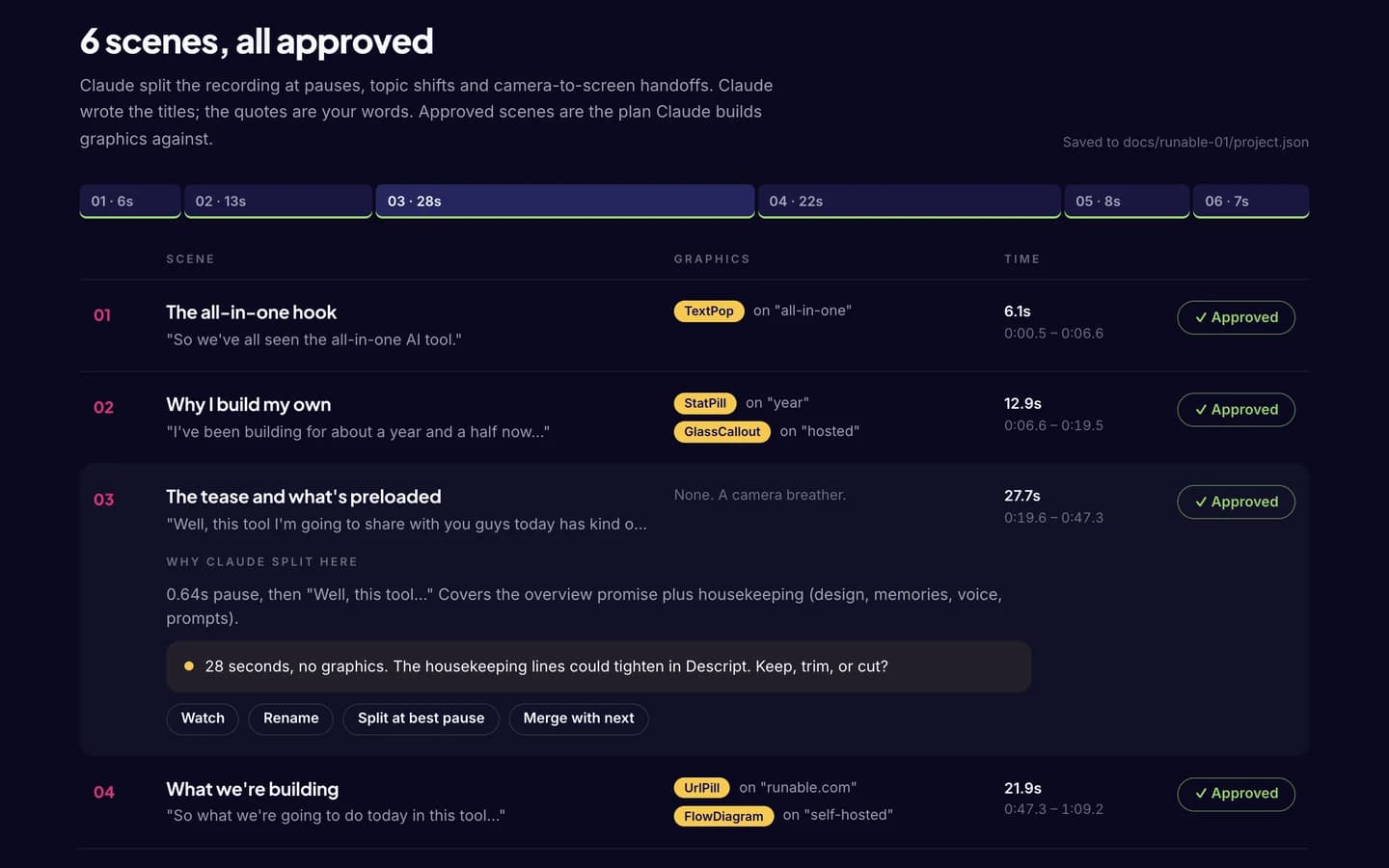
Claude reads your recording and suggests scenes.
A scene is just a section of your video. Claude marks where to split (at pauses, at topic changes, and when you switch from camera to screen) and tells you why. You rename, split, merge, and approve.
- 02
Claude builds the graphics.
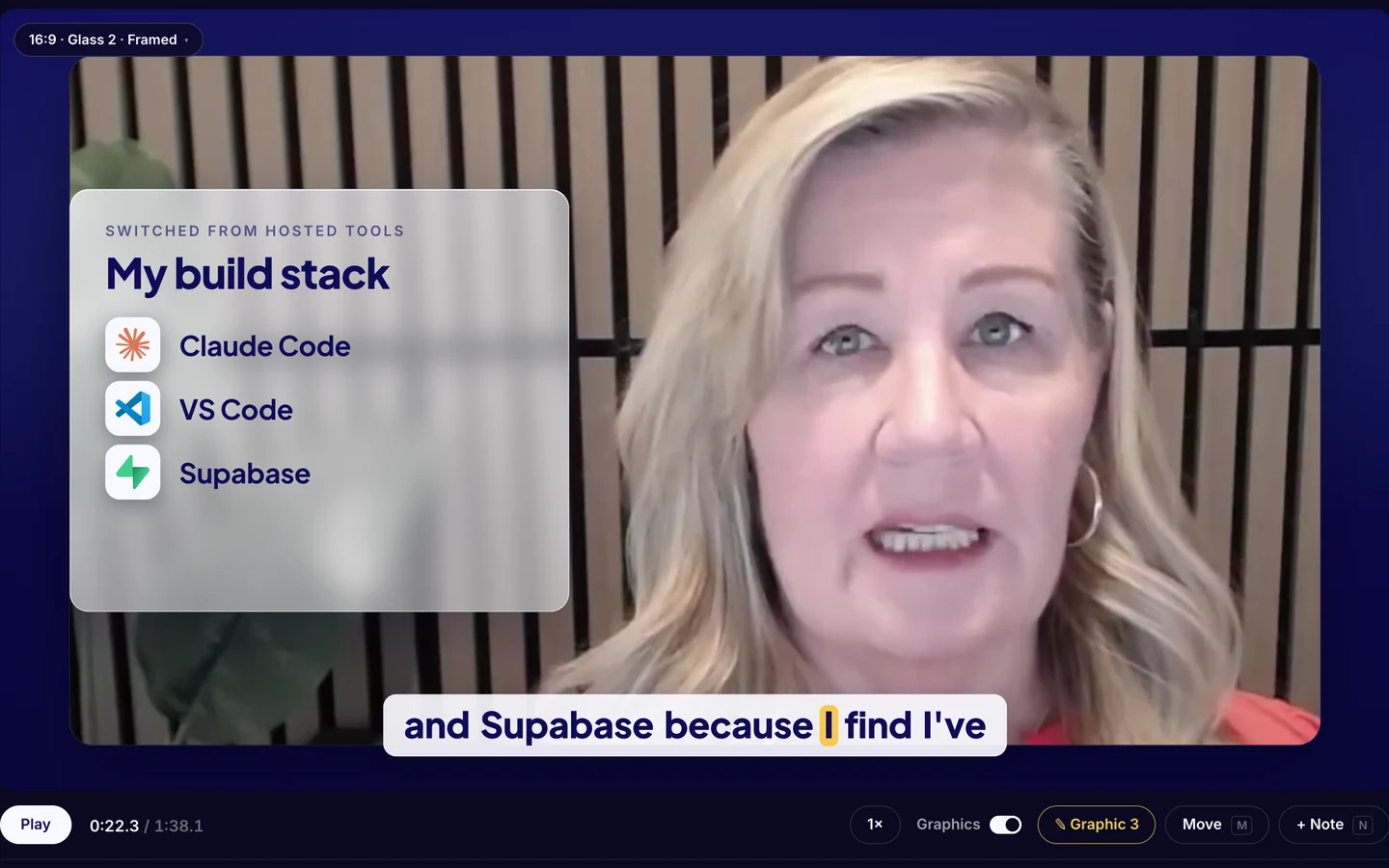
Callouts, stat pills, flow diagrams, price tags, and camera zooms, all timed to the word you’re saying, in your colors and fonts.
- 03
You watch and leave notes.
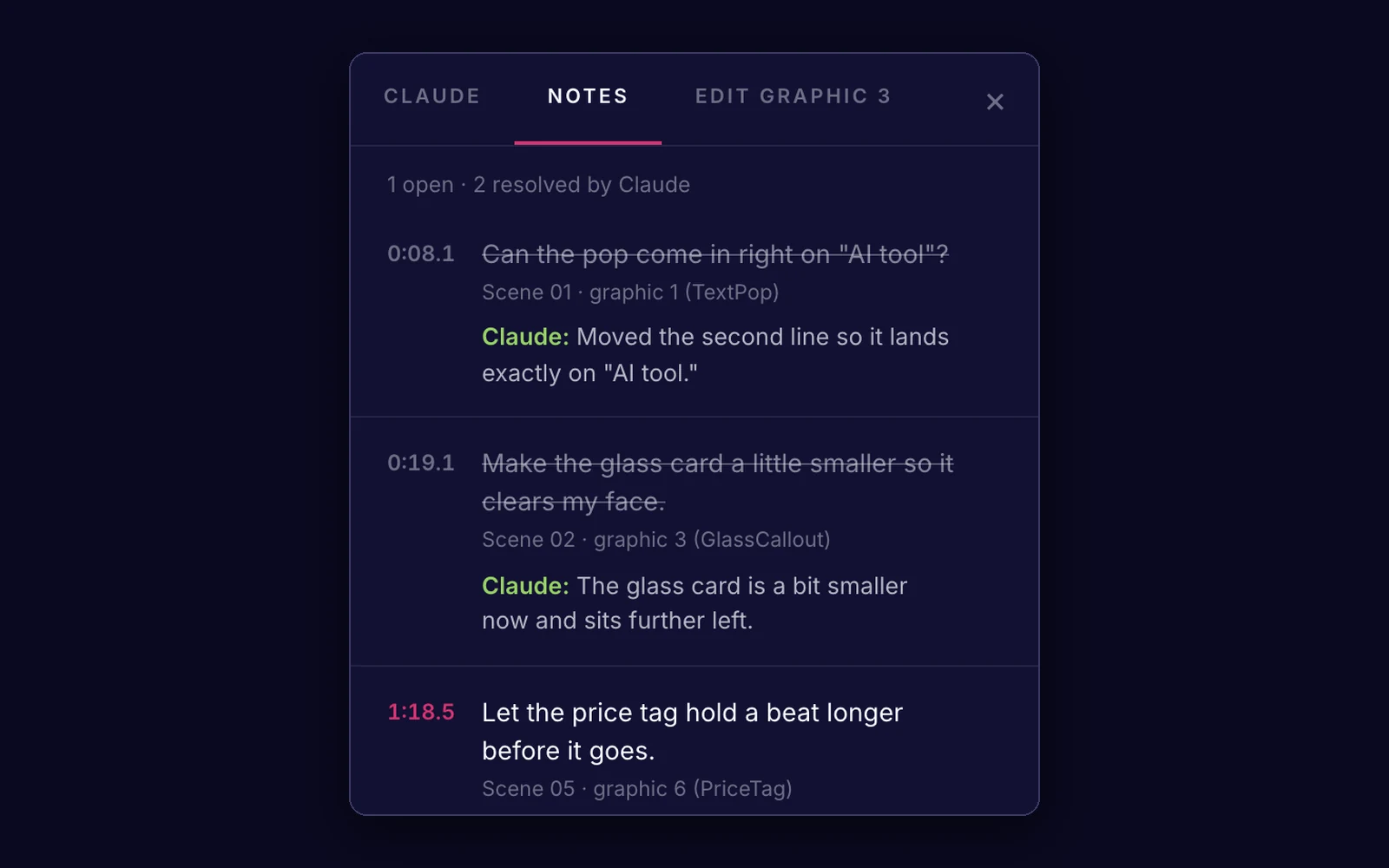
Press N and pin a note to the exact frame, like “make this card smaller” or “this lands too early.”
- 04
You send your notes to Claude.
It works through them, marks each one resolved with a line about what changed, and the player updates on its own.
- 05
You export an MP4 when it’s right.
The parts you can do yourself
Not everything has to go through Claude.
Cut words right from the script
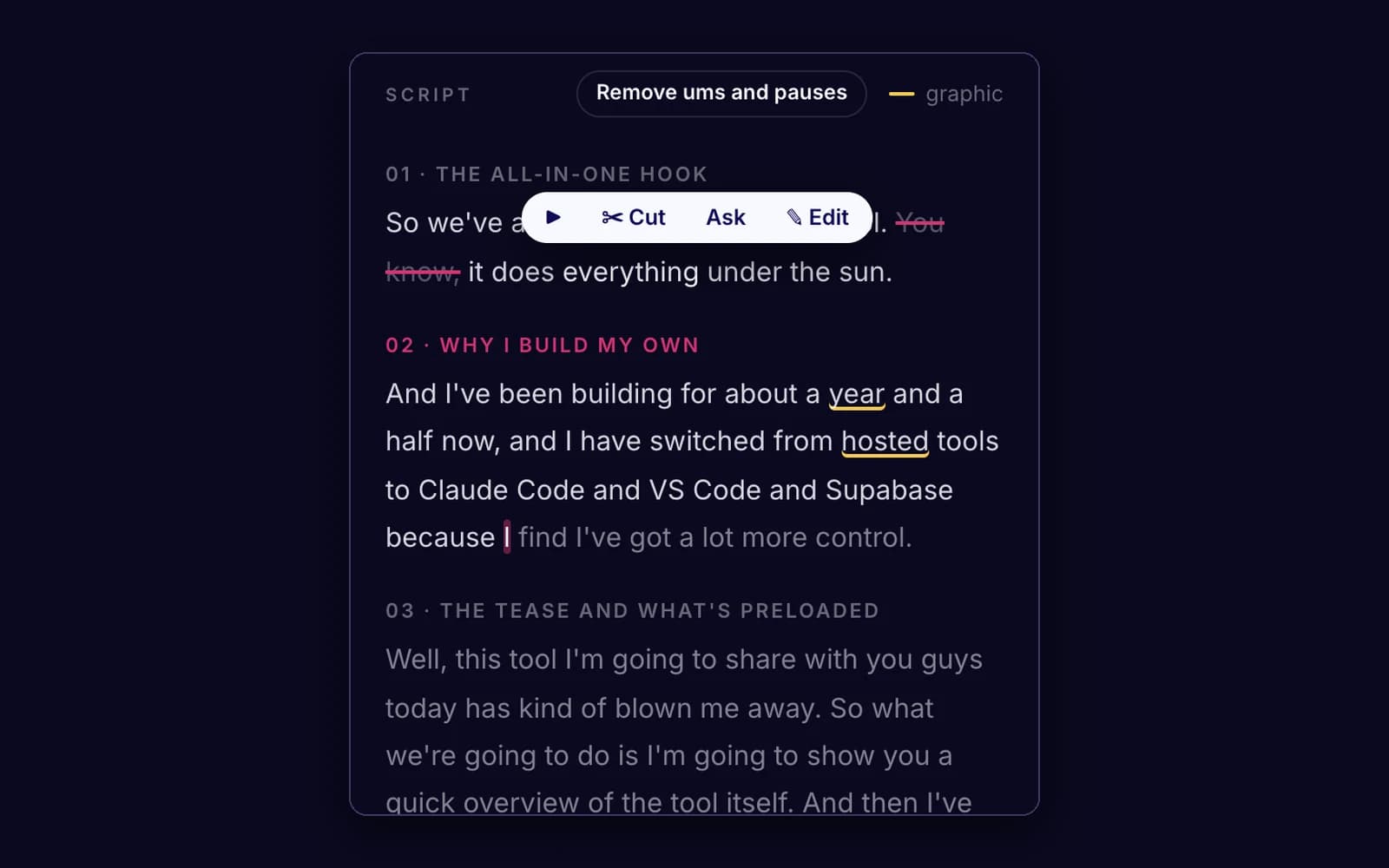
You can edit your video by editing the script, the way Descript works: hover over a word to cut it, drag across several to cut them all, and bring them back whenever you want. Captions, music, and shorts follow every cut.
Change any graphic, stay on-brand
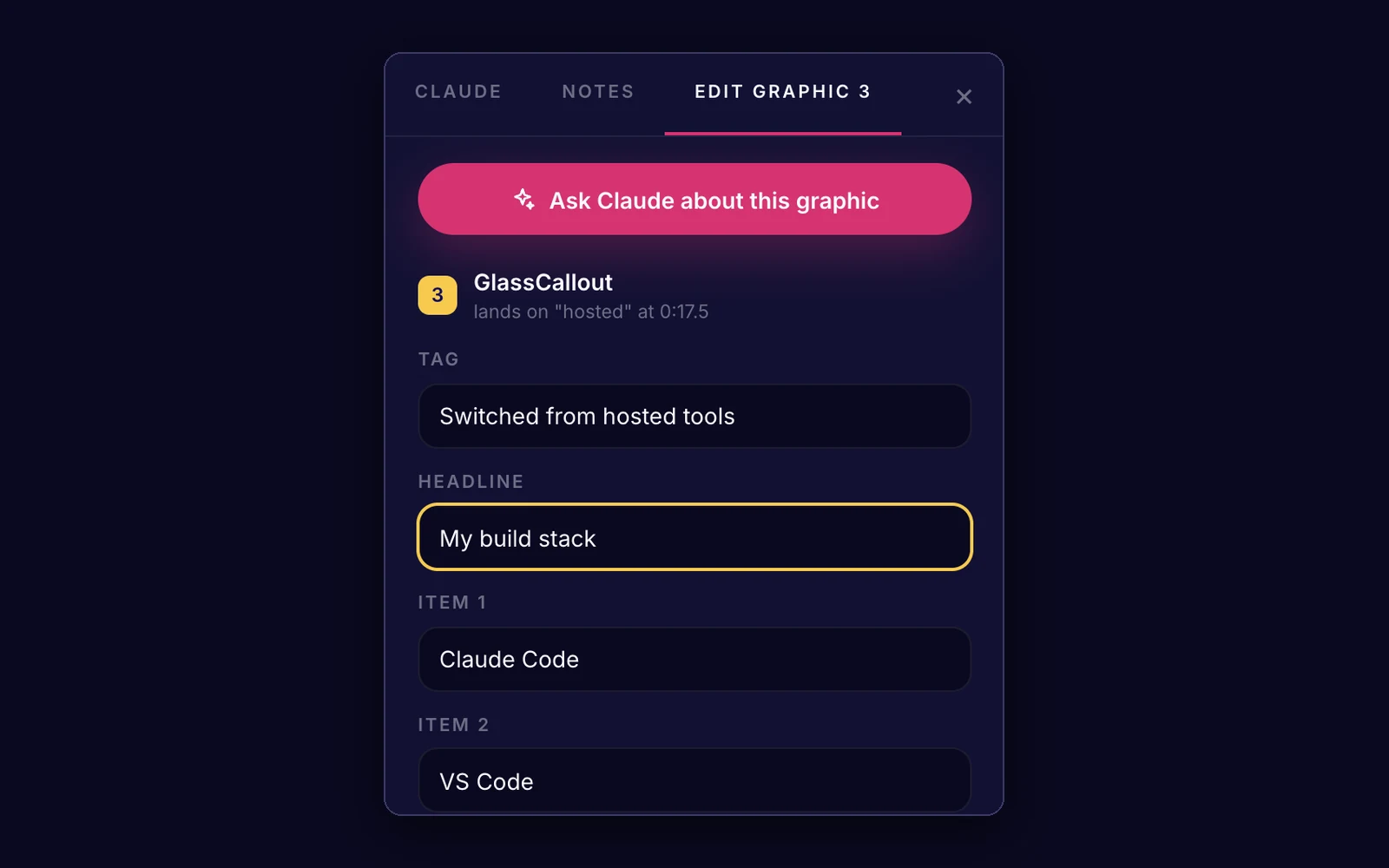
You can also change the words and timing of any graphic, and because your colors and fonts come from your style, nothing you type can go off-brand.
One video, three shapes
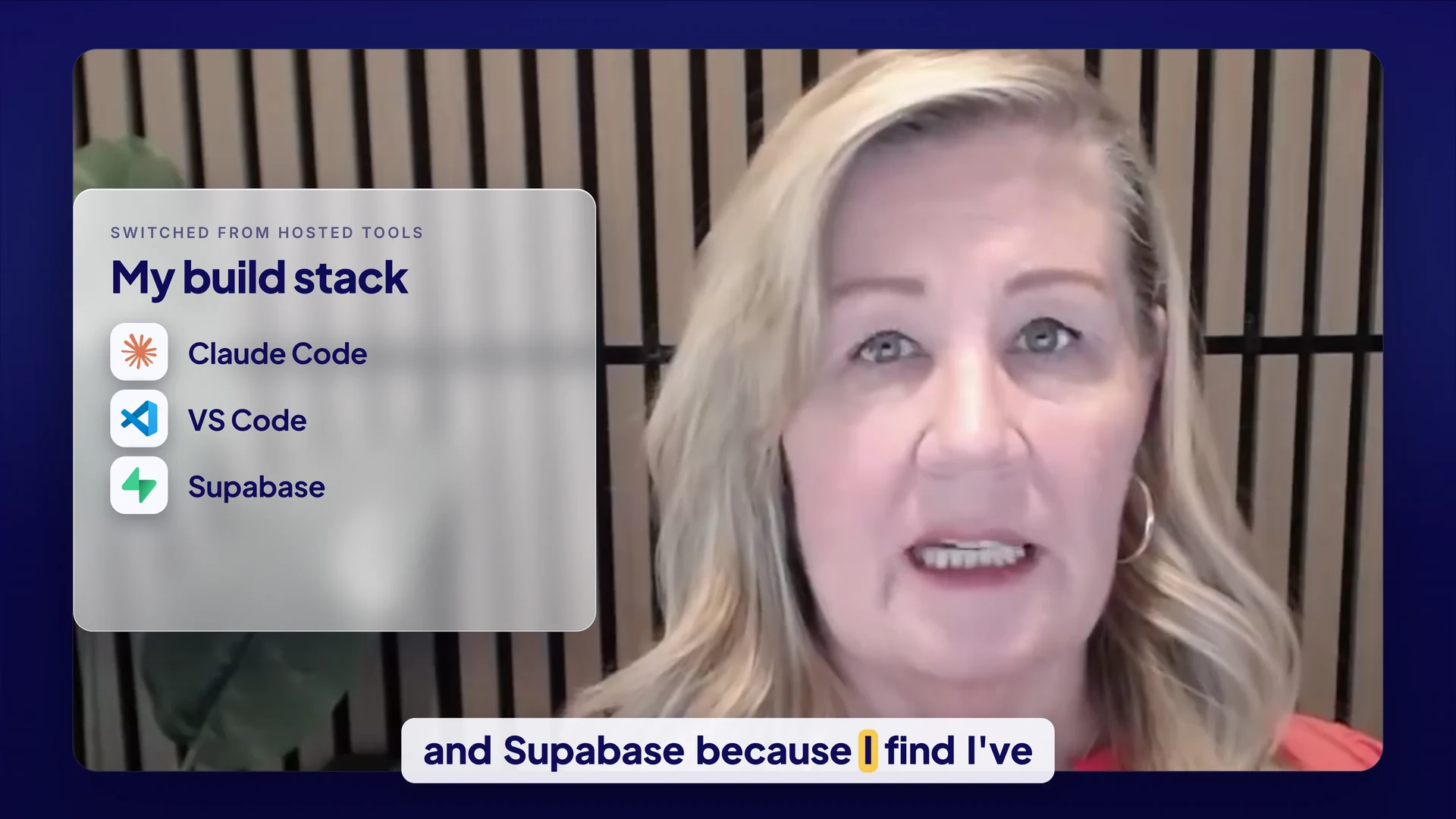
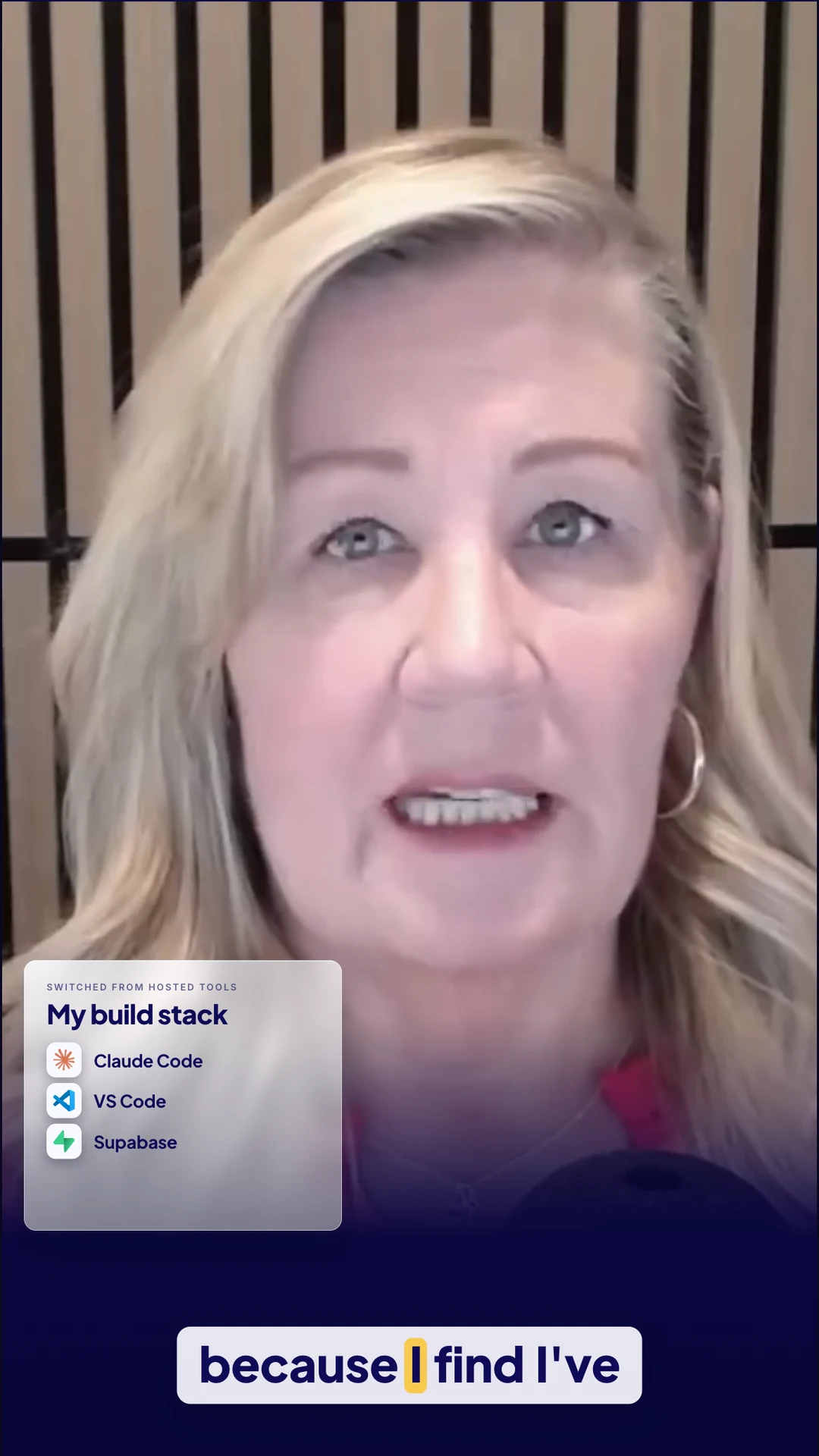
Shorts come from the same video, with Claude suggesting vertical (9:16) and square (1:1) versions that are re-laid-out for each shape, and you can ask for another one from any moment.
And a lot more
Move and resize on the video
Move and resize any graphic or the captions right on the video, separately for each format.
Four built-in looks
Switch between four built-in looks and watch the real graphics change.
Full-frame, framed, or split
Choose a full-frame, framed, or split layout (the split puts you in a side panel beside your screen share, uncropped).
Word-by-word captions
Add word-by-word captions, boxed or plain.
What you need
You’ll need the Claude desktop app, which is where Claude Code lives too (you switch it on in the same place), and a paid Claude plan. Claude Code isn’t part of the free plan, so Pro or higher is the starting point. There’s no terminal and no code editor involved, because I built and use all of this in the desktop app.
A Mac with Apple Silicon (M1 or later). That’s what Scene Studio is built and tested on today. The Windows version is being tested now and is coming soon.
Your recordings: a talking-head video, plus a screen recording if you want the split layout or screen handoffs. Record them in Descript or anything that exports MP4.
Scene Studio is a plug-in you install in the app, and it comes with complete step-by-step instructions. If you can follow instructions, you can install it, and after that you’re asking questions and giving direction.
Because Claude does the creative work, it draws from your Claude plan’s usage the same way any other Claude Code session does.
What gets installed for you
Scene Studio is built on Remotion, but you never install it separately. It comes along automatically, with everything else the editor runs on. Claude checks for each one and asks before installing anything.
- Node.jsRuns the editor.
- ffmpegA video tool for the fast preview copies and the waveform.
- ParakeetNVIDIA’s free transcription model, which runs on your Mac. It writes down every word with its timing, so graphics land on the word and you can edit the video by editing the script. Your audio never leaves your computer. The first run downloads the model (about 600 MB).
Your questions
Do I need to know video editing?
No. You never open a timeline to get started, and everything is explained in plain words.
Do I need to know how to code?
No. I built Scene Studio and use it in the Claude desktop app, and installing it is a plug-in with instructions.
Is this a subscription?
No, it's a one-time purchase.
Where do my videos go?
Your video files stay on your machine, because Scene Studio runs on your computer. There's no Scene Studio account and nothing to upload to a website. Claude does read your transcript to do its work, so the words in your video are shared with Claude the same way anything you ask Claude about is.
What if Claude gets something wrong?
You pin a note to the exact frame and send it back, and Claude fixes it and tells you what changed. If it's a small thing, you can fix it yourself in a few seconds.
When does it open?
Soon. People on the waitlist hear first.
I built Scene Studio because I wanted to make more video and kept getting stuck on the editing.
If that sounds like you, put your name on the list and I’ll send you a note the day it opens.